Image to Video AI Generator — Animate Photos into Viral Videos
Upload any portrait, product shot, or illustration and bring it to life in 9:16 or 16:9. Powered by Kling 3.0, MiniMax Hailuo H3, Google Veo 3 & Seedance with precise motion control.
Recent Creations
No recent creations yet
Select one of the studio launchers above to create your first AI image, cinematic video, or audio track.
🔒 Private by default — your uploads stay in your account, are never used to train public AI models, and can be deleted anytime.
From Still Photo to Viral Video — Hand-Tested Motion Prompts
Trend Clip Character Swap
Night Street Whip-In Close-Up Image-to-Video Prompt
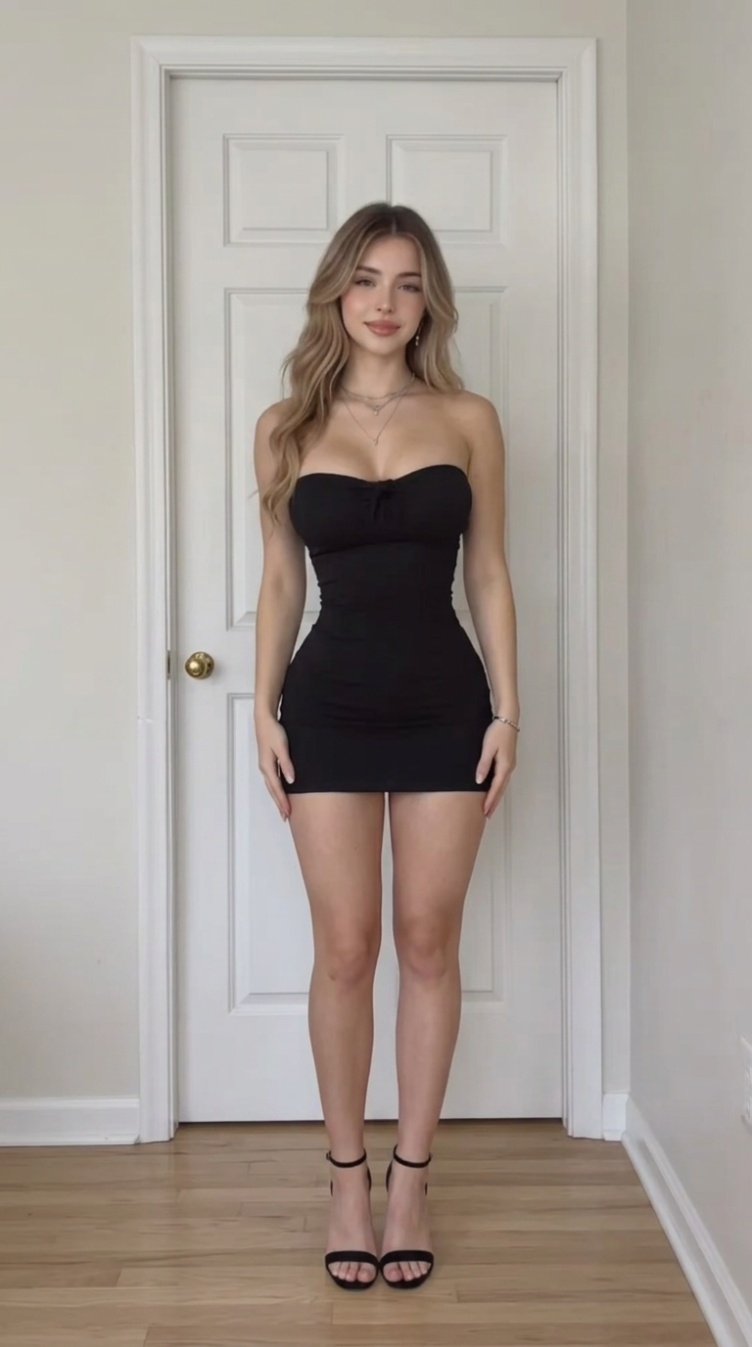
“This is a real-person short video shot on a smartphone at night, vertical, fixed camera, one continuous single shot, no cuts, total length 5 seconds. [Source of the footage] @Video1 is the sole reference for scene and motion: camera height, tilt, focal length, the positions of the street lamp and the row of trees, the direction and reflections of the paved walkway, the string of distant lamps, and the entire timing structure are reproduced one-to-one from @Video1. The person originally in @Video1 is used only as a motion stand-in: inherit her movement, posture, speed, scale and exit direction only; her face, hairstyle, black top and body proportions never appear in this video. The only person in this video is the person in @Image1: dark grey hoodie, dark trousers, light-brown wavy hair. Wardrobe and hair stay identical to @Image1 throughout, no outfit change, no hair-color change. [Person count] From second 0 to second 5, the number of people visible in frame is always exactly one; during the empty-shot segment it is zero. At any moment there is a single figure: one body, one face, one outfit. [Shot 1, 0-0.25s: a tiny distant figure losing balance, gone in a quarter second] At the very first frame a small distant figure of @Image1 is already mid-fall at full speed, positioned at the same depth as the base of the black lamp pole, right beside the pole on the paved walkway — she is far from the camera and small, only about one tenth of the frame height, exactly the scale she has at that spot in @Video1. There is no wind-up and no slow build: her body is thrown forward by momentum, torso pitched violently ahead of her feet, head and shoulders leading, arms snapping forward in a raw reflex, one leg dragging behind with the foot slipping off the paving. This is a real stumble caught by the camera, not a performed run. The whole thing is over in about a quarter of a second: the small figure whips diagonally out of frame to the left in one violent burst and is completely gone by 0.25 seconds. At this distance and this speed she reads as a small dark smear with a trailing streak, face unreadable; only the clothing color and hair color still match @Image1. The camera does not follow and does not zoom; the figure stays small the entire time she is visible and simply crosses faster than the frame can hold her. Only this single figure is in frame. [Shot 2, 0.25-2.0s: empty frame] Only the night scene of @Video1 remains: the road and distant lamp string on the left, the black lamp pole and street trees in the middle, the paved walkway and dry yellow reeds on the right. The lamp forms an overexposed white flare at the top of frame, spilling glow downward; the paving reflects warm yellow light. No person is in frame, nothing moves, only slight handheld breathing, held for about 1.7 seconds. [Shot 3, 2.0-2.35s: whip-in from lower left] The person of @Image1 whips into frame from the lower-left edge: first a blurred sliver of shoulder and hair enters, then the whole body rapidly enlarges and fills the middle width of frame with strong arcing motion blur, hair flung to one side. Entry direction, whip speed and final stop position match @Video1. Only this one person is in frame. [Shot 4, 2.35-5.0s: close-up hold] The person of @Image1 stops in front of the lens, face occupying the lower-middle of frame, facing the camera, lit by the warm yellow lamp light, with the path lights behind dissolving into a string of round bokeh. Hair sways twice from the whip-in momentum then settles; gaze lands on the lens; head tilts about eight degrees to the right of frame and returns; one blink; steady breathing; relaxed mouth. The frame then stays essentially still, and the last frame holds this slight head tilt. [Camera and image quality] Wide-angle phone lens; noise and slight chromatic fringing retained in shadows; lamp highlights overexposed with flare; Shot 1 and Shot 3 carry heavy, directionally consistent motion blur that smears the moving figure; original on-site color, no grading filter. [Consistency] The figure in Shot 1, Shot 3 and Shot 4 is the same person; hairstyle, hair color and clothing color are continuous across the three; the small smeared figure in Shot 1 and the close-up face in Shot 4 are the same person. [Sound] All sound comes from real sources inside the frame. Ambience: very light low-frequency night-street noise; in Shot 1 a single hard burst of shoe scuff, fabric snap and air whoosh that cuts off the instant the figure leaves frame; in Shot 2 only faint ambient noise and a distant trace of traffic; in Shot 3 a short wind whoosh at the whip-in moment. Voice: no dialogue in this video, only one soft exhale. Music: no music in this video. The only sound sources are physical ambience and voice inside the frame; BGM, background music, score, melody, accompaniment, instrument sounds, humming and arrangement do not belong to this video.”
Solo Dance Replacement
Love Options Solo Dance Swap Image-to-Video Prompt
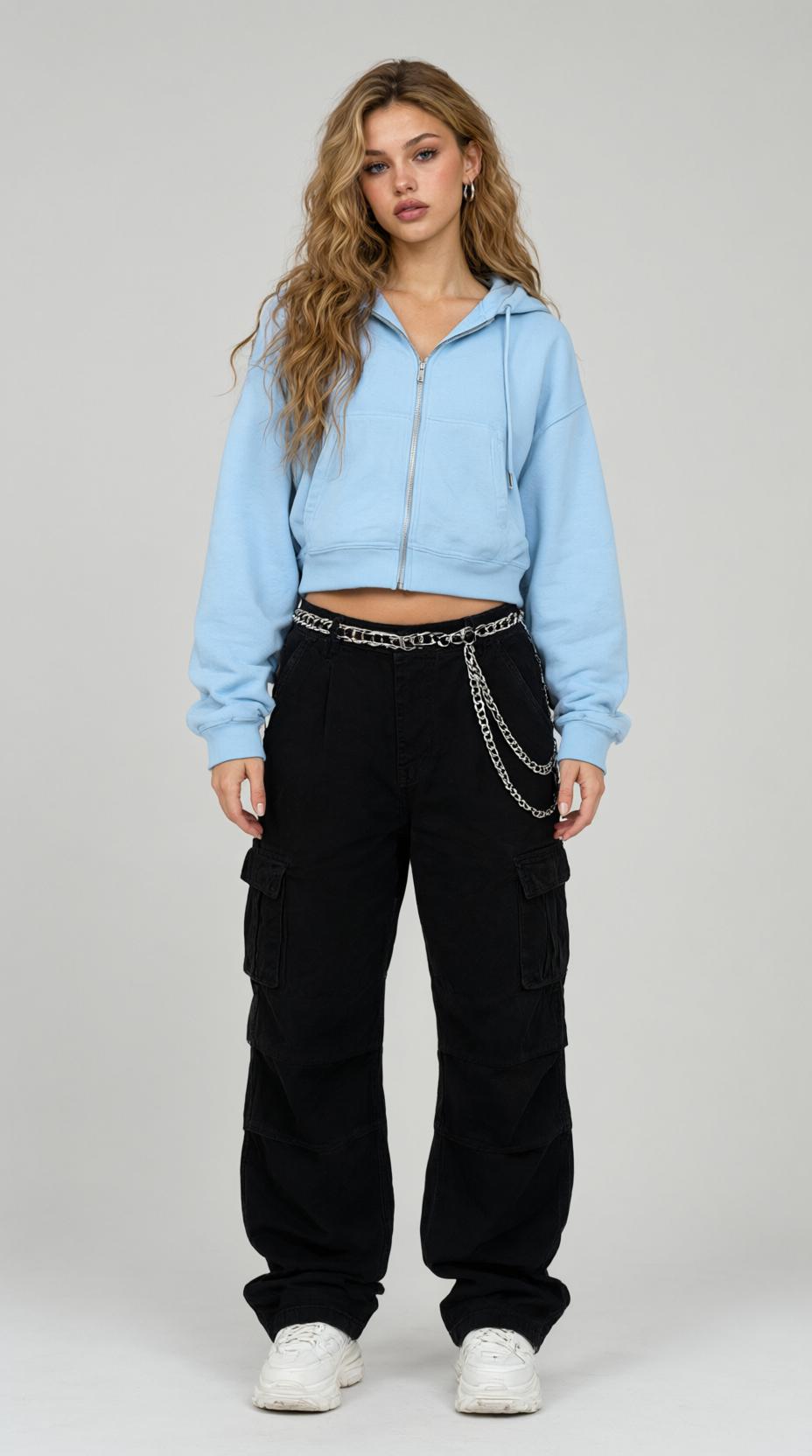
“Video remake: replace the two dancing cats in the video with the single woman from my uploaded image. She dances alone — she is the only person in the video, performing the whole routine by herself in the hallway. Preserve the dance timing and the scene. GLOBAL: photorealistic live-action dance clip, one single continuous shot, camera locked on a tripod, stable full-body framing from first frame to last. BODY & PROPORTIONS (critical): the dancer is an adult woman, about 168 cm tall, with natural adult human proportions — the head about one-seventh of standing height, long slender legs, relaxed shoulders, human hands with five fingers, and human feet flat on the wooden floor inside her sneakers. POSITIONS (critical): the woman dances alone in the center of the hallway, facing the camera. The area where the second cat used to stand stays empty floor. Only one person appears in the entire video: this woman. CHOREOGRAPHY: preserve the original dance beat for beat — the arm waves, hip sways, shoulder pops and the final ending pose — performed by the woman on her own, full of energy, as a confident solo routine. IDENTITY: the woman keeps her own face, hairstyle and outfit from her image in every frame, head to toe, with natural human facial features and expressions. AUDIO: upbeat playful pop BGM locked to the dance tempo, clean studio quality. No dialogue in the entire clip. STABILITY: the scene stays the bright home hallway with wooden floor and white walls; the woman remains fully human from head to toe; body outlines stay clean and complete; the camera position and framing never change; the picture stays clean and clear.”
Pet Trend Remakes
Creek Corgi Pet Remake Image-to-Video Prompt
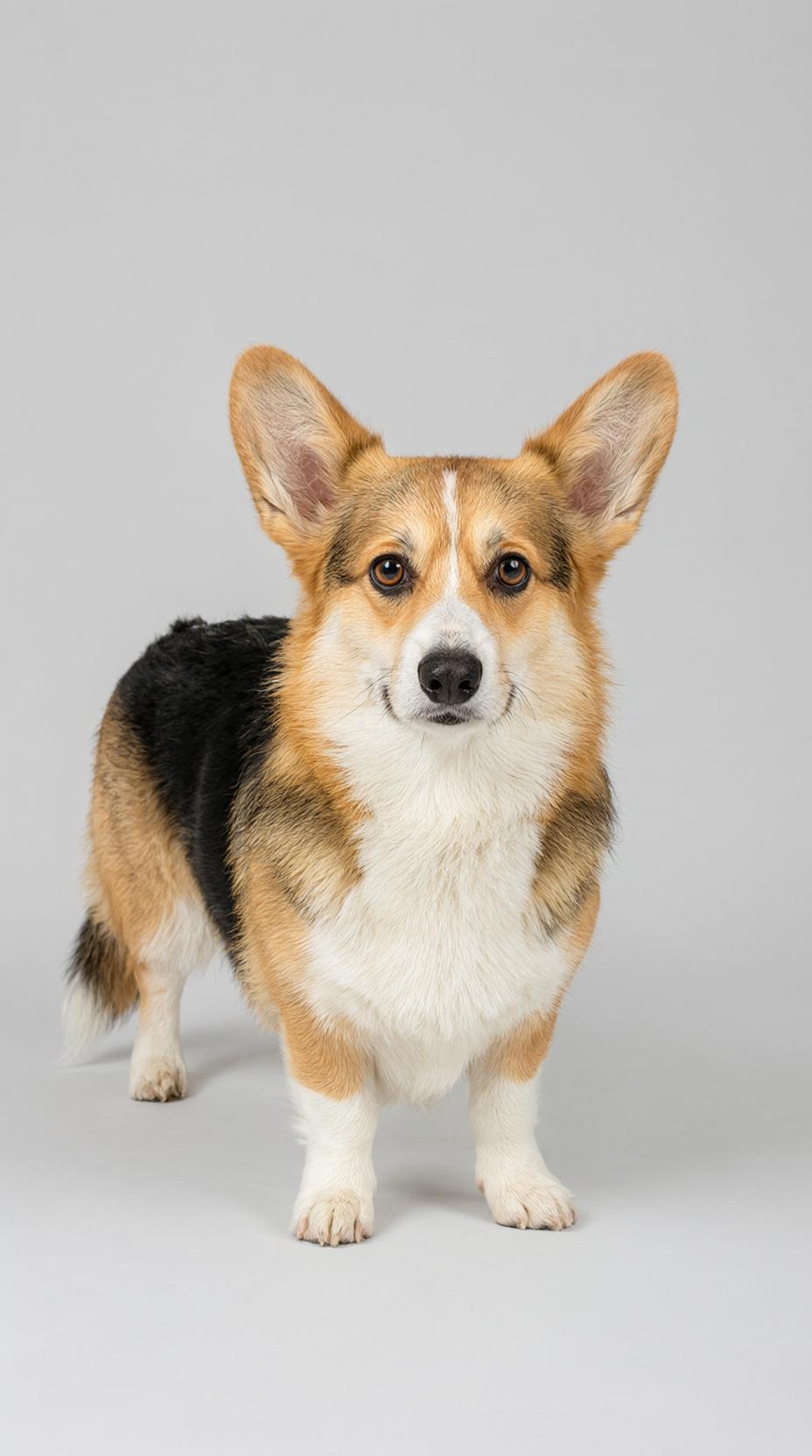
“Remake Video 1 shot for shot as a photoreal live-action pet clip, replacing the dog in Video 1 with the corgi in @Image 1 while keeping Video 1's camera, framing, timing and setting. Generate one continuous shot with no cuts, fifteen seconds long. SUBJECT Video 1 is used only as the motion and camera reference. The dog seen in Video 1 does not appear in the output. The only animal is the corgi from @Image 1: its tricolor orange, white and black fur, big upright ears, short legs, face markings and tail follow @Image 1 in every frame. Exactly one dog is in the frame; no people, no hands, no leash. SCENE Keep Video 1's setting exactly: a shallow sunlit creek with clear water, smooth wet pebbles, mossy grey rocks and green banks, soft late-afternoon light filtering through leaves. The camera is low, close to the water at the dog's eye level, vertical 9:16, shallow depth of field. CHOREOGRAPHY — follow Video 1 beat for beat 0-2s: the corgi's head peeks up from behind a large mossy creek rock, only its head and front paws visible above the stone, ears up, looking toward the camera. 2-3.5s: it steps out from behind the rock onto the wet pebbles, all four paws on the ground, and looks straight at the lens. 3.5-5s: it blinks once slowly, then tips its head slightly to one side. 5-8s: it rises onto its two hind legs, front paws tucked up at its chest, standing upright and steady on the shallow water. 8-10.5s: it makes two small hops in place on its hind legs, splashing a light spray of shallow water around its paws. 10.5-13s: it stays upright and sways its body left and right, ears bouncing with the motion. 13-15s: it drops back onto all four legs and waddles away from the camera along the creek, tail swaying, ending with its back to the lens. CAMERA Same low handheld camera as Video 1, same distance and height, vertical 9:16, gentle follow as the dog moves; the dog stays fully in frame until it waddles away. PHYSICS LOCK One dog with four legs, two upright ears and a natural tail, a clean readable silhouette against the water in every frame. Its fur pattern and face markings stay identical to @Image 1 from the first frame to the last frame. The rocks, water and banks stay still behind it. AUDIO The soundtrack of this clip is the audio track of Video 1 itself, carried over unchanged: the same music and voices, the same level and the same timing from the first frame to the last frame. The original track stays continuous and unbroken across the whole clip, with no re-scored music and no re-recorded voice. Keep the frame clean and clear.”
Face & Style FX
Face-Swipe 2D Slice Effect Image-to-Video Prompt
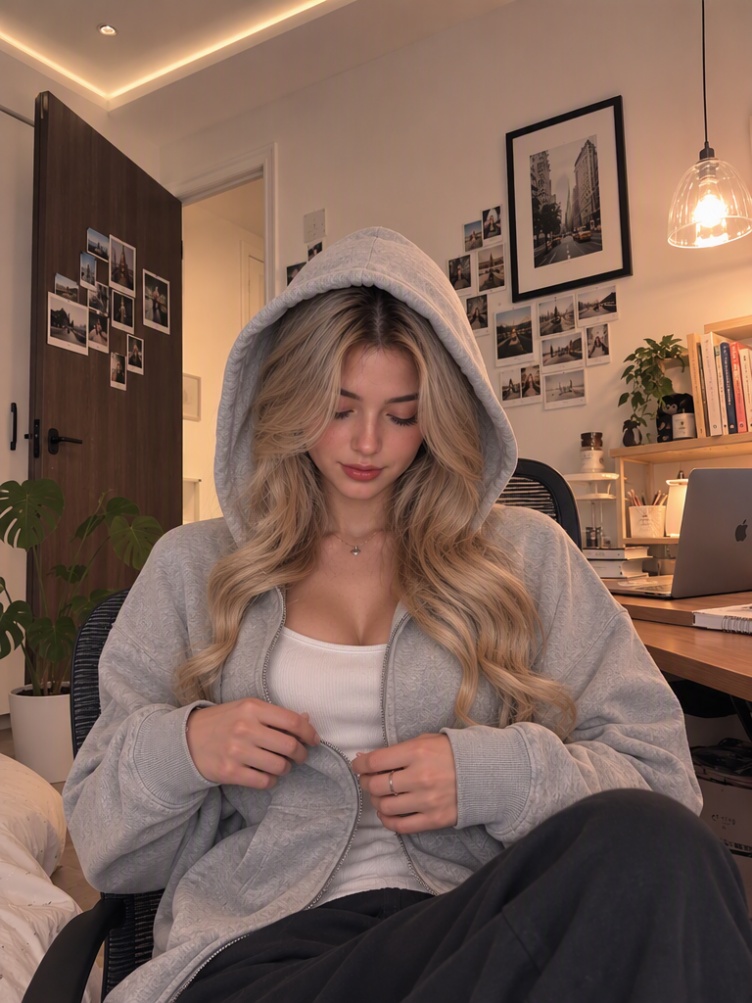
“Create a 10-second video using the uploaded woman and recreate the uploaded reference video's visual effect as closely as possible. MOST IMPORTANT: THIS IS NOT A FULL-BODY TRANSFORMATION. The woman must remain PHOTOREALISTIC for the entire video. The ONLY 2D illustrated elements are the thin HORIZONTAL SLICES that temporarily pass across her FACE. REFERENCE EFFECT: The effect works like several horizontal strips of the woman's face are temporarily replaced by a 2D illustrated version while everything outside those strips remains completely realistic. 0–1.5 SECONDS: Show the woman completely photorealistic. Preserve her exact face, skin, hair, hoodie, hands, body, lighting, background, and environment. 1.5–9 SECONDS: Introduce the horizontal slice effect. Create thin horizontal rectangular slices crossing ONLY the woman's facial area. Inside each horizontal slice: the woman's face temporarily appears as a polished 2D illustrated version. OUTSIDE EACH SLICE: Everything MUST remain 100% photorealistic. This means: - forehead outside the slice = realistic - hair outside the slice = realistic - eyes/face outside the slice = realistic - neck = realistic - hoodie = realistic - arms and hands = realistic - body = realistic - background = realistic The 2D effect must NEVER spread outside the active horizontal slice. The slices should move, shift, and slightly offset horizontally, creating the same sliced-image/glitch illusion as the reference. CRITICAL EFFECT BEHAVIOR: The 2D appearance is TEMPORARY and CONFINED TO THE MOVING HORIZONTAL STRIPS. Do NOT gradually convert the woman into a 2D character. Do NOT create a final 2D version. Do NOT transform her entire face permanently. Do NOT transform her clothing. Do NOT transform her hoodie. Do NOT transform her hair. Do NOT transform her body. Do NOT transform the background. The woman's realistic appearance must remain visible everywhere except inside the active horizontal slices. 9–10 SECONDS: The horizontal slices disappear completely. The entire woman returns to / remains completely photorealistic. The final frame must look like the original realistic woman with the original realistic hoodie, hair, body, hands, and background. HOODIE LOCK: The hoodie is NEVER part of the 2D effect. Keep the hoodie completely realistic throughout the entire video. No cartoon hoodie. No illustrated clothing. No clothing morph. No hoodie deformation. BACKGROUND LOCK: Keep the entire original background completely photorealistic and unchanged throughout the video. CAMERA: Match the reference video's camera framing, perspective, movement, timing, and composition. Do not change the camera angle or scene. IDENTITY LOCK: Keep the exact uploaded woman. Do not change facial identity, hairstyle, clothing, body proportions, or accessories. 2D STYLE INSIDE SLICES ONLY: High-end polished 2D Western animated illustration, clean elegant line art, smooth skin rendering, soft cel shading, expressive refined eyes, beautifully illustrated dark hair, premium fairytale-inspired character design. NEGATIVE: full-body transformation, full-face transformation, permanent 2D character, cartoon body, cartoon hoodie, cartoon hair, cartoon background, 2D spreading outside slices, large mask, full-screen effect, portal, rectangular frame around entire person, floating panel, morphing clothing, changing outfit, identity change, background transformation, duplicated body, extra limbs, distorted hands, text, watermark.”
Real Remix Cases — See the Trend, Swap Your Photo, Get the Video
Night Street Stroll — Whip-In Close-Up· Seedance 2.5
“This is a real-person short video shot on a smartphone at night, vertical, fixed camera, one continuous single shot, no cuts, total length 5 seconds. [Source of the footage] @Video1 is the sole reference for scene and motion: camera height, tilt, focal length, the positions of the street lamp and the row of trees, the direction and reflections of the paved walkway, the string of distant lamps, and the entire timing structure are reproduced one-to-one from @Video1. The person originally in @Video1 is used only as a motion stand-in: inherit her movement, posture, speed, scale and exit direction only; her face, hairstyle, black top and body proportions never appear in this video. The only person in this video is the person in @Image1: dark grey hoodie, dark trousers, light-brown wavy hair. Wardrobe and hair stay identical to @Image1 throughout, no outfit change, no hair-color change. [Person count] From second 0 to second 5, the number of people visible in frame is always exactly one; during the empty-shot segment it is zero. At any moment there is a single figure: one body, one face, one outfit. [Shot 1, 0-0.25s: a tiny distant figure losing balance, gone in a quarter second] At the very first frame a small distant figure of @Image1 is already mid-fall at full speed, positioned at the same depth as the base of the black lamp pole, right beside the pole on the paved walkway — she is far from the camera and small, only about one tenth of the frame height, exactly the scale she has at that spot in @Video1. There is no wind-up and no slow build: her body is thrown forward by momentum, torso pitched violently ahead of her feet, head and shoulders leading, arms snapping forward in a raw reflex, one leg dragging behind with the foot slipping off the paving. This is a real stumble caught by the camera, not a performed run. The whole thing is over in about a quarter of a second: the small figure whips diagonally out of frame to the left in one violent burst and is completely gone by 0.25 seconds. At this distance and this speed she reads as a small dark smear with a trailing streak, face unreadable; only the clothing color and hair color still match @Image1. The camera does not follow and does not zoom; the figure stays small the entire time she is visible and simply crosses faster than the frame can hold her. Only this single figure is in frame. [Shot 2, 0.25-2.0s: empty frame] Only the night scene of @Video1 remains: the road and distant lamp string on the left, the black lamp pole and street trees in the middle, the paved walkway and dry yellow reeds on the right. The lamp forms an overexposed white flare at the top of frame, spilling glow downward; the paving reflects warm yellow light. No person is in frame, nothing moves, only slight handheld breathing, held for about 1.7 seconds. [Shot 3, 2.0-2.35s: whip-in from lower left] The person of @Image1 whips into frame from the lower-left edge: first a blurred sliver of shoulder and hair enters, then the whole body rapidly enlarges and fills the middle width of frame with strong arcing motion blur, hair flung to one side. Entry direction, whip speed and final stop position match @Video1. Only this one person is in frame. [Shot 4, 2.35-5.0s: close-up hold] The person of @Image1 stops in front of the lens, face occupying the lower-middle of frame, facing the camera, lit by the warm yellow lamp light, with the path lights behind dissolving into a string of round bokeh. Hair sways twice from the whip-in momentum then settles; gaze lands on the lens; head tilts about eight degrees to the right of frame and returns; one blink; steady breathing; relaxed mouth. The frame then stays essentially still, and the last frame holds this slight head tilt. [Camera and image quality] Wide-angle phone lens; noise and slight chromatic fringing retained in shadows; lamp highlights overexposed with flare; Shot 1 and Shot 3 carry heavy, directionally consistent motion blur that smears the moving figure; original on-site color, no grading filter. [Consistency] The figure in Shot 1, Shot 3 and Shot 4 is the same person; hairstyle, hair color and clothing color are continuous across the three; the small smeared figure in Shot 1 and the close-up face in Shot 4 are the same person. [Sound] All sound comes from real sources inside the frame. Ambience: very light low-frequency night-street noise; in Shot 1 a single hard burst of shoe scuff, fabric snap and air whoosh that cuts off the instant the figure leaves frame; in Shot 2 only faint ambient noise and a distant trace of traffic; in Shot 3 a short wind whoosh at the whip-in moment. Voice: no dialogue in this video, only one soft exhale. Music: no music in this video. The only sound sources are physical ambience and voice inside the frame; BGM, background music, score, melody, accompaniment, instrument sounds, humming and arrangement do not belong to this video.”
Giant Finger Poke — Miniature Squish· Seedance 2.5
“Action sequence: A giant human hand slowly enters from the right side of the frame and gently pokes the miniature man's belly with one finger. On the first poke, his belly softly d…”
“Action sequence: A giant human hand slowly enters from the right side of the frame and gently pokes the miniature man's belly with one finger. On the first poke, his belly softly deforms inward, his cheeks comically puff up, and his eyes bulge outward in exaggerated surprise.He returns to his normal shape.The giant finger pokes his belly a second time. His cheeks inflate even more dramatically, his eyes widen, and his mouth forms a funny shocked expression. The character wobbles slightly from the impact.Then the giant hand gently presses down on the miniature character, squishing his soft rubbery body completely flat against the wooden surface in a playful cartoon-like way. Hold the flattened shape for a brief moment.Suddenly, the miniature character springs back into his original shape like a soft rubber toy. He shakes himself off, straightens his white polo shirt, looks directly toward the giant hand, and gives an exaggerated angry glare with puffed cheeks and furrowed eyebrows.The final moment holds on his funny angry expression.Style: photorealistic miniature doll, soft rubber texture, realistic studio lighting, physically believable deformation combined with playful cartoon physics, expressive face, cinematic detail, smooth animation, natural hand movement, subtle camera stability.Camera: locked-off medium close-up, vertical 9:16 composition, no camera movement, character remains centered and fully visible.Duration: 8–10 seconds.Important: Keep the character's identity and appearance consistent throughout the entire video. No face morphing, no extra fingers, no extra limbs, no duplicate characters, no text, no subtitles, no watermark. The sequence should feel cute, funny, playful, and harmless”
Love Options — Solo Dance Swap· Seedance 2.5
“Video remake: replace the two dancing cats in the video with the single woman from my uploaded image. She dances alone — she is the only person in the video, performing the whole routine by herself in the hallway. Preserve the dance timing and the scene. GLOBAL: photorealistic live-action dance clip, one single continuous shot, camera locked on a tripod, stable full-body framing from first frame to last. BODY & PROPORTIONS (critical): the dancer is an adult woman, about 168 cm tall, with natural adult human proportions — the head about one-seventh of standing height, long slender legs, relaxed shoulders, human hands with five fingers, and human feet flat on the wooden floor inside her sneakers. POSITIONS (critical): the woman dances alone in the center of the hallway, facing the camera. The area where the second cat used to stand stays empty floor. Only one person appears in the entire video: this woman. CHOREOGRAPHY: preserve the original dance beat for beat — the arm waves, hip sways, shoulder pops and the final ending pose — performed by the woman on her own, full of energy, as a confident solo routine. IDENTITY: the woman keeps her own face, hairstyle and outfit from her image in every frame, head to toe, with natural human facial features and expressions. AUDIO: upbeat playful pop BGM locked to the dance tempo, clean studio quality. No dialogue in the entire clip. STABILITY: the scene stays the bright home hallway with wooden floor and white walls; the woman remains fully human from head to toe; body outlines stay clean and complete; the camera position and framing never change; the picture stays clean and clear.”
Creek Corgi Pet Clip· Seedance 2.5
“Remake Video 1 shot for shot as a photoreal live-action pet clip, replacing the dog in Video 1 with the corgi in @Image 1 while keeping Video 1's camera, framing, timing and setting. Generate one continuous shot with no cuts, fifteen seconds long. SUBJECT Video 1 is used only as the motion and camera reference. The dog seen in Video 1 does not appear in the output. The only animal is the corgi from @Image 1: its tricolor orange, white and black fur, big upright ears, short legs, face markings and tail follow @Image 1 in every frame. Exactly one dog is in the frame; no people, no hands, no leash. SCENE Keep Video 1's setting exactly: a shallow sunlit creek with clear water, smooth wet pebbles, mossy grey rocks and green banks, soft late-afternoon light filtering through leaves. The camera is low, close to the water at the dog's eye level, vertical 9:16, shallow depth of field. CHOREOGRAPHY — follow Video 1 beat for beat 0-2s: the corgi's head peeks up from behind a large mossy creek rock, only its head and front paws visible above the stone, ears up, looking toward the camera. 2-3.5s: it steps out from behind the rock onto the wet pebbles, all four paws on the ground, and looks straight at the lens. 3.5-5s: it blinks once slowly, then tips its head slightly to one side. 5-8s: it rises onto its two hind legs, front paws tucked up at its chest, standing upright and steady on the shallow water. 8-10.5s: it makes two small hops in place on its hind legs, splashing a light spray of shallow water around its paws. 10.5-13s: it stays upright and sways its body left and right, ears bouncing with the motion. 13-15s: it drops back onto all four legs and waddles away from the camera along the creek, tail swaying, ending with its back to the lens. CAMERA Same low handheld camera as Video 1, same distance and height, vertical 9:16, gentle follow as the dog moves; the dog stays fully in frame until it waddles away. PHYSICS LOCK One dog with four legs, two upright ears and a natural tail, a clean readable silhouette against the water in every frame. Its fur pattern and face markings stay identical to @Image 1 from the first frame to the last frame. The rocks, water and banks stay still behind it. AUDIO The soundtrack of this clip is the audio track of Video 1 itself, carried over unchanged: the same music and voices, the same level and the same timing from the first frame to the last frame. The original track stays continuous and unbroken across the whole clip, with no re-scored music and no re-recorded voice. Keep the frame clean and clear.”
Face-Swipe 2D Slice Effect· Seedance 2.5
“Create a 10-second video using the uploaded woman and recreate the uploaded reference video's visual effect as closely as possible. MOST IMPORTANT: THIS IS NOT A FULL-BODY TRANSFORMATION. The woman must remain PHOTOREALISTIC for the entire video. The ONLY 2D illustrated elements are the thin HORIZONTAL SLICES that temporarily pass across her FACE. REFERENCE EFFECT: The effect works like several horizontal strips of the woman's face are temporarily replaced by a 2D illustrated version while everything outside those strips remains completely realistic. 0–1.5 SECONDS: Show the woman completely photorealistic. Preserve her exact face, skin, hair, hoodie, hands, body, lighting, background, and environment. 1.5–9 SECONDS: Introduce the horizontal slice effect. Create thin horizontal rectangular slices crossing ONLY the woman's facial area. Inside each horizontal slice: the woman's face temporarily appears as a polished 2D illustrated version. OUTSIDE EACH SLICE: Everything MUST remain 100% photorealistic. This means: - forehead outside the slice = realistic - hair outside the slice = realistic - eyes/face outside the slice = realistic - neck = realistic - hoodie = realistic - arms and hands = realistic - body = realistic - background = realistic The 2D effect must NEVER spread outside the active horizontal slice. The slices should move, shift, and slightly offset horizontally, creating the same sliced-image/glitch illusion as the reference. CRITICAL EFFECT BEHAVIOR: The 2D appearance is TEMPORARY and CONFINED TO THE MOVING HORIZONTAL STRIPS. Do NOT gradually convert the woman into a 2D character. Do NOT create a final 2D version. Do NOT transform her entire face permanently. Do NOT transform her clothing. Do NOT transform her hoodie. Do NOT transform her hair. Do NOT transform her body. Do NOT transform the background. The woman's realistic appearance must remain visible everywhere except inside the active horizontal slices. 9–10 SECONDS: The horizontal slices disappear completely. The entire woman returns to / remains completely photorealistic. The final frame must look like the original realistic woman with the original realistic hoodie, hair, body, hands, and background. HOODIE LOCK: The hoodie is NEVER part of the 2D effect. Keep the hoodie completely realistic throughout the entire video. No cartoon hoodie. No illustrated clothing. No clothing morph. No hoodie deformation. BACKGROUND LOCK: Keep the entire original background completely photorealistic and unchanged throughout the video. CAMERA: Match the reference video's camera framing, perspective, movement, timing, and composition. Do not change the camera angle or scene. IDENTITY LOCK: Keep the exact uploaded woman. Do not change facial identity, hairstyle, clothing, body proportions, or accessories. 2D STYLE INSIDE SLICES ONLY: High-end polished 2D Western animated illustration, clean elegant line art, smooth skin rendering, soft cel shading, expressive refined eyes, beautifully illustrated dark hair, premium fairytale-inspired character design. NEGATIVE: full-body transformation, full-face transformation, permanent 2D character, cartoon body, cartoon hoodie, cartoon hair, cartoon background, 2D spreading outside slices, large mask, full-screen effect, portal, rectangular frame around entire person, floating panel, morphing clothing, changing outfit, identity change, background transformation, duplicated body, extra limbs, distorted hands, text, watermark.”
Shake It to the Max — Duo Dance· Seedance 2.5
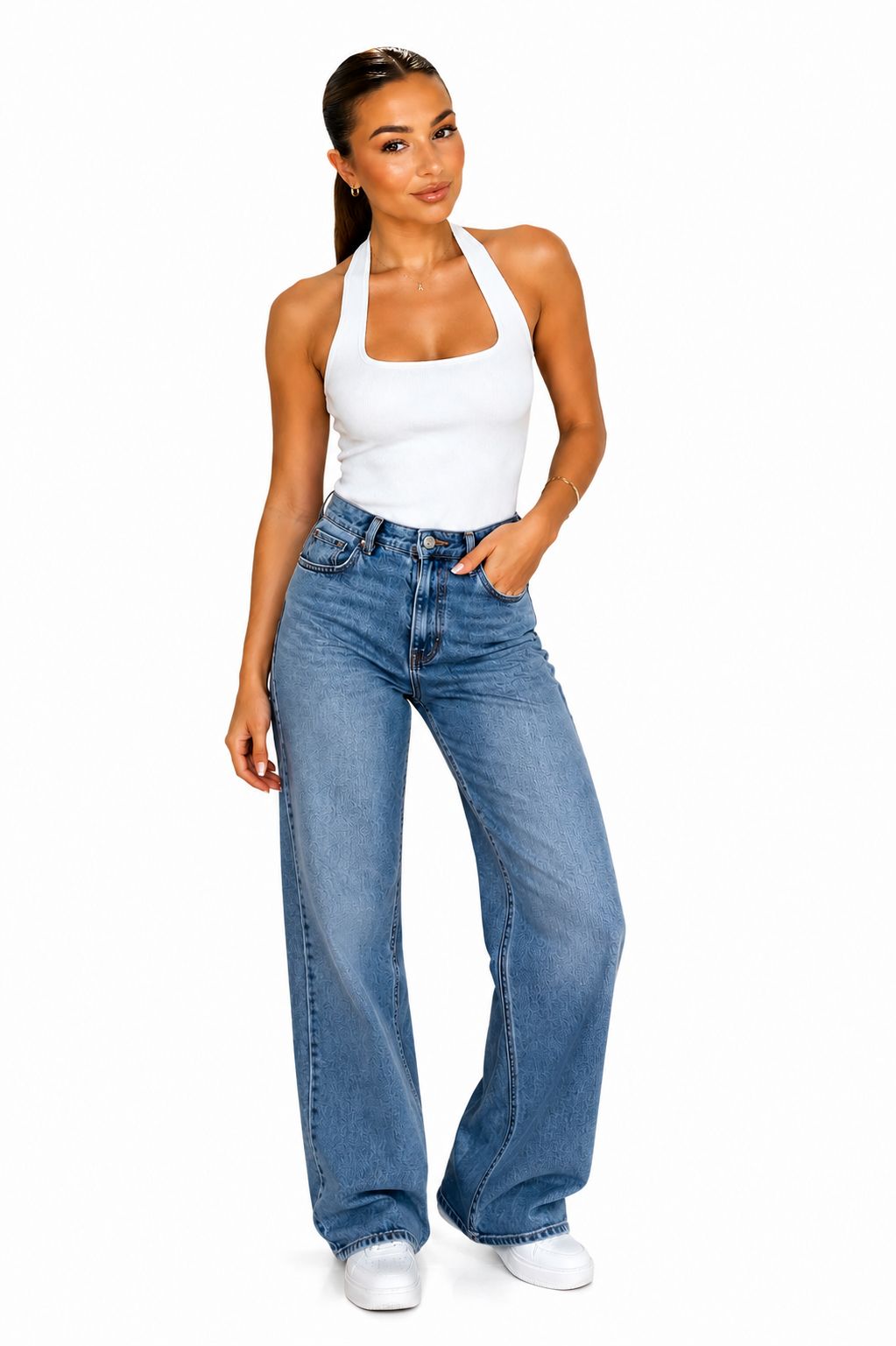
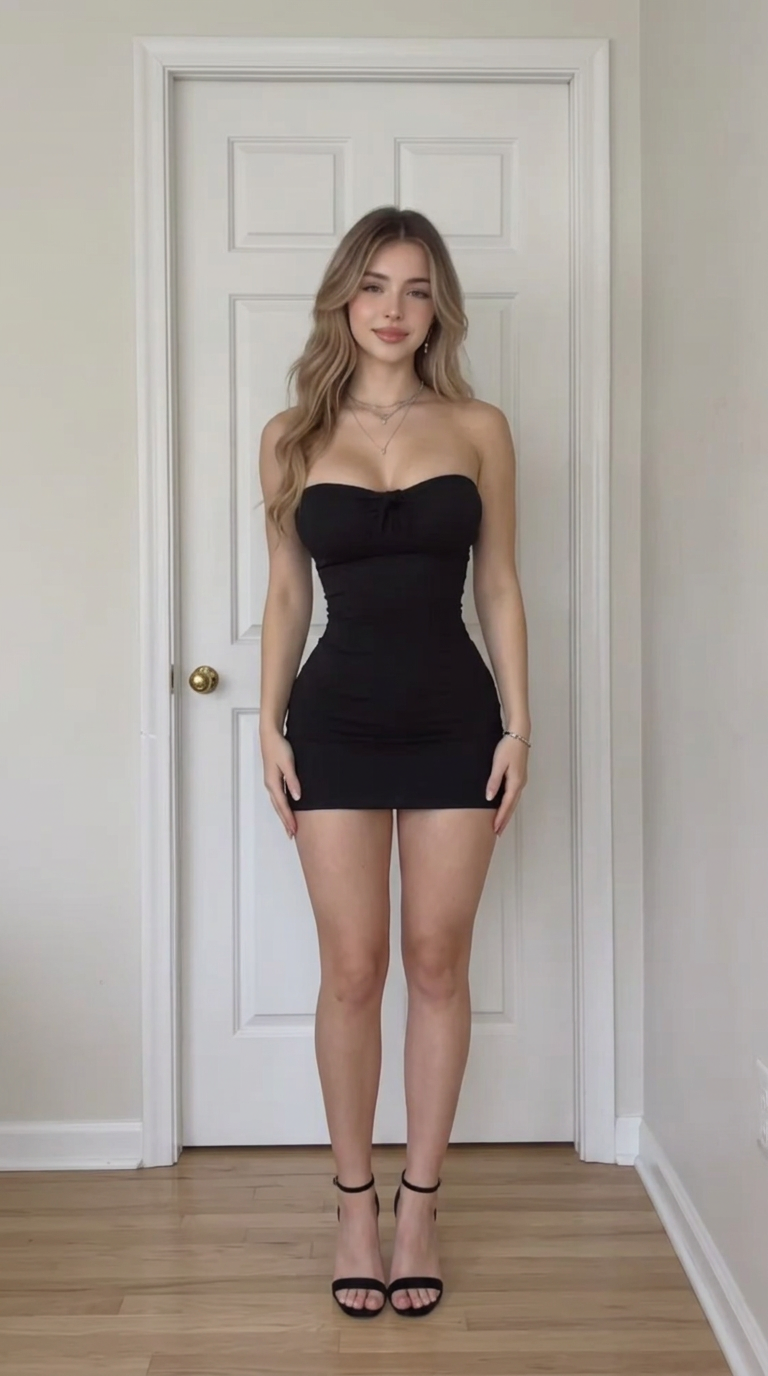
“Use @Image1 as the first dancer and @Image2 as the second dancer. Both people dance together side by side, faithfully recreating the choreography from @Video1. Use @Video1 exclusively as the motion reference. Both dancers perform the same dance moves, poses, gestures, rhythm, timing, and transitions as the original dancer in @Video1. Both people must dance simultaneously and stay synchronized throughout the entire video. Preserve the distinct facial features, hairstyle, clothing, body shape, and identity of each person from their respective reference image. Keep both dancers fully visible from head to toe, standing side by side with natural spacing. Maintain a fixed camera angle and consistent framing. Natural human anatomy, realistic body movements, smooth motion, and consistent character appearance throughout the video. Generate a single continuous shot. No extra people, no identity swapping, no duplicated limbs, no body distortion, and no overlapping bodies.”
1950s Rock 'n' Roll Couple· Seedance 2.5
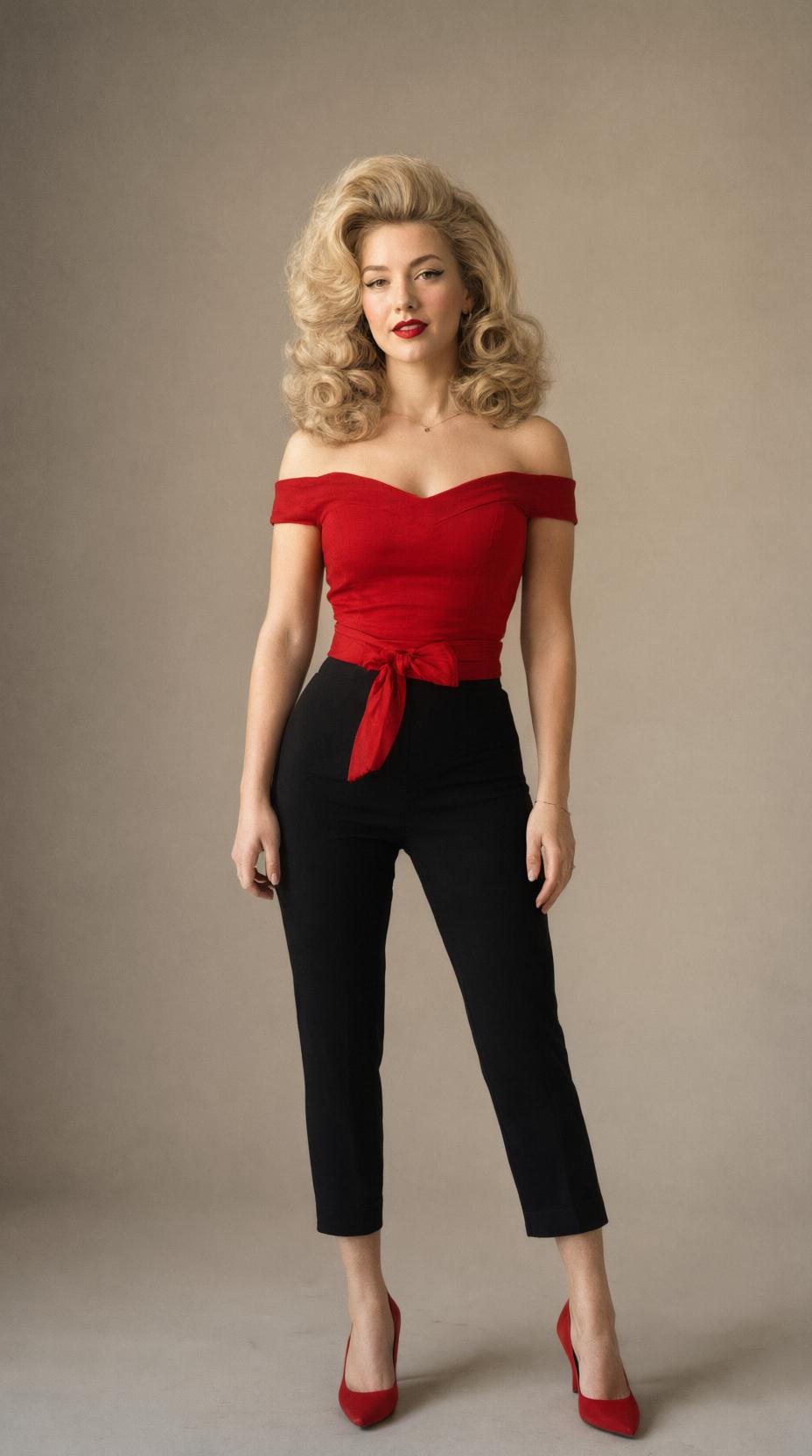
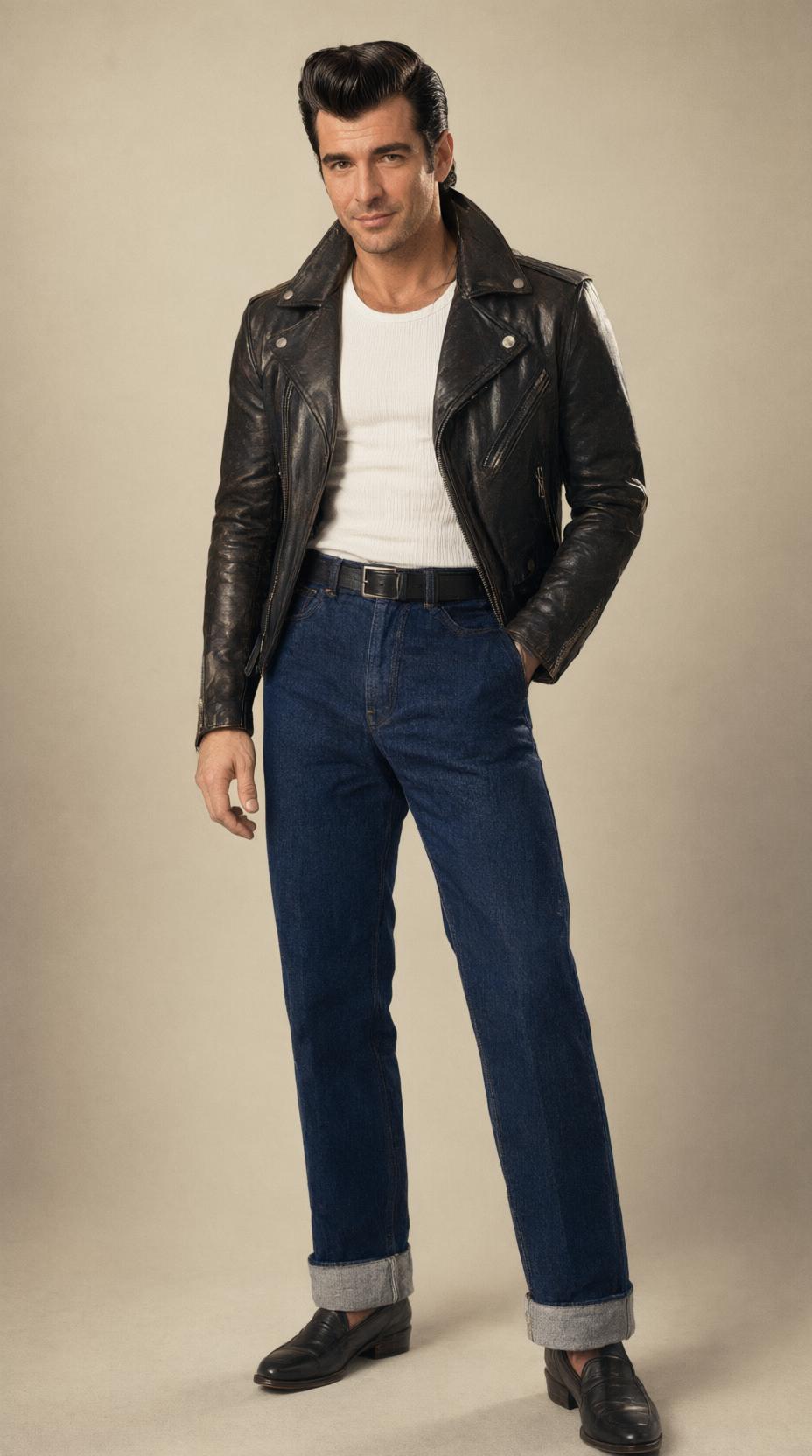
“Remake Video 1 as a photoreal live-action 1950s rock-and-roll dance clip, replacing the couple in Video 1 with the two people in the reference images while keeping Video 1's camera work, editing rhythm, choreography and setting. CAST AND POSITION @Image 1 is the woman: she is the dancer on the viewer's left in every shot. @Image 2 is the man: he is the dancer on the viewer's right in every shot. Both keep exactly the face, hair and outfit of their own reference image from the first frame to the last frame. They never swap sides, never walk out of frame, and exactly two dancers appear in the clip. Both stand on the same ground line at the same distance from the camera, with natural adult proportions of about seven and a half heads. SCENE Keep Video 1's location: a sunny daytime outdoor fairground, painted carnival booths and tents behind the couple, strings of colourful triangle bunting and balloons overhead, pale concrete ground, fairgoers strolling in the soft-focus background. CHOREOGRAPHY — follow Video 1 beat for beat 0-4s: the two walk toward the camera side by side in a wide shot, hips swaying, arms swinging loosely, both looking into the lens with confident smiles. 4-6s: cut to the close two-shot; the woman smiles at the camera, turns her back and flips her hair, then as she turns back she reaches up and playfully taps the man's chin while he grins down at her. 6-11s: cut to the wide fairground shot; the two jive on the spot facing the camera, bouncing on the beat, shoulders rolling, arms swinging out and in, hands joining and parting, hips swinging, her red heels flashing. 11-15s: they keep the same bouncing step, then land a final freeze side by side with their shoulders touching, both smiling into the camera. CAMERA Same handheld phone camera as Video 1, same shot sizes and the same cuts, vertical 9:16, the couple always fully in frame from head to shoes in the wide shots. AUDIO Background music: use the soundtrack of the reference audio as the background music — the same 1950s rock-and-roll song, the same tempo, groove and arrangement, playing continuously from the first frame to the last frame and locked to the dancers' beat. The two dancers never sing and never lip-sync; there is no added dialogue. The frame stays clean and clear. Faces stay identical to the reference images and the bodies keep their shape in every frame.”
Total Motion Control Without Warping Your Subject
100% Face, Product & Character Identity Preservation
Kling 3.0 locks facial features and product logos frame by frame — no melting faces, no warped packaging.
First & Last Frame Keyframing for Seamless Transitions
Feed a start image and an end image and the model interpolates every beat in between — morphs, reveals and time-lapses.
AI Motion Brush & Camera Path Presets (Pan, Zoom, Orbit)
Paint where things should move or pick a camera preset — orbit a product, crane up a skyline, add handheld energy.
Synchronized Audio, Lip-Sync & Ambient Sound Effects
Kling 3.0 and Veo 3 generate matching ambience, SFX and lip-sync while they animate your photo.
Best AI Models for Image-to-Video Generation Compared
| AI Video Model | Subject & Face Consistency | Reference & Frame Control | Best Image-to-Video Use Case | Max Output Spec |
|---|---|---|---|---|
| Kling 3.0 | Ultra-High (Zero Face Drift) | Start/End Frame + Motion Brush + Multi-Ref | E-commerce product shots, portrait animation & complex camera orbits | 30s · Native 4K + Audio |
| MiniMax Hailuo H3 | High (Natural Micro-Expressions) | Image + Text + Audio Multimodal Ref | Expressive human portraits, talking/acting scenes & viral dance trends | 15s · Native 2K Stereo |
| Seedance 2.5 | High (Multi-Shot Identity Lock) | Up to 50 Multimodal References | Fast 9:16 template remixing, character storyboards & rapid ad testing | 4s–30s · 720p to 4K |
| Google Veo 3 | High (Photorealistic Physics) | Image + Cinematic Camera Prompts | Turning static landscape, food & luxury product photos into cinema shots | 15s · 1080p/4K + Audio |
How to Turn an Image into an AI Video in 3 Steps
Step 1: Upload Your Photo (JPG, PNG or WEBP up to 5MB)
Drag in a portrait, product shot or illustration — sharp, well-lit inputs animate best.
Step 2: Add a Motion Prompt or Pick a Camera Movement Preset
Describe what should move, or tap a motion preset under the upload box — zoom, orbit, crane, physics or a natural smile.
Step 3: Select Your AI Model & Export Watermark-Free MP4
Kling 3.0 for identity-true animation, Hailuo for expressions, Veo 3 for cinematic physics. Render and download a clean MP4.
Unlock Endless Possibilities from a Single Static Image
Turn Plain White-Background Product Photos into TikTok Shop Ads
One catalog photo becomes a 9:16 ad with orbit, splash and glow — no studio reshoots.
Animate AI Art, Midjourney Illustrations & Storyboards
Add parallax, atmosphere and camera moves to static renders and concept art.
Create Viral Photo Trends: Tiny Desk, AI Hug & Dance Memes
Ride photo-driven trend formats with a single upload and a copied motion prompt.
Bring Old Family Photos & Portraits Back to Life
Add gentle breathing, blinks and smiles to restored vintage portraits.